> ## Documentation Index
> Fetch the complete documentation index at: https://docs.junction.com/llms.txt
> Use this file to discover all available pages before exploring further.
# Synthetic Data (Sandbox)
> Using demo users to build and test your Junction integration.
This feature is currently available for the following providers:
* Apple HealthKit
* Fitbit
* Oura
* Freestyle Libre
The others will be coming soon. If there is a particular provider you would like us to add,
please do not hesitate to contact us at [support@junction.com](mailto:support@junction.com)!
When integrating with Junction, you may not own a physical device for each provider you're planning to support. For this, we provide demo users with test data so you can build and test the whole integration without touching a real device.
A demo user gives you the same experience as using a real one. The only difference is that you won't go through the [Junction Link](/wearables/connecting-providers/introduction) flow.
Demo users have certain limitations to keep in mind:
* Only available in sandbox.
* A demo user cannot have connections to a real device. If you already have a user with real data, you need to create a new one to connect a demo account.
* There is no limitation on the number of demo users you can create, but they do count towards the overall users limit in sandbox. Up-to-date limits can be found [on this page](/api-details/junction-api#environments).
* Demo users expire after 7 days, meaning the user and its data will be deleted.
## Usage
First, you need a Junction user. You can create one either through the [dashboard](https://app.junction.com) or through the [API](/api-reference/user/create-user).
After creating the user, the `Users` page of your dashboard will look like this:
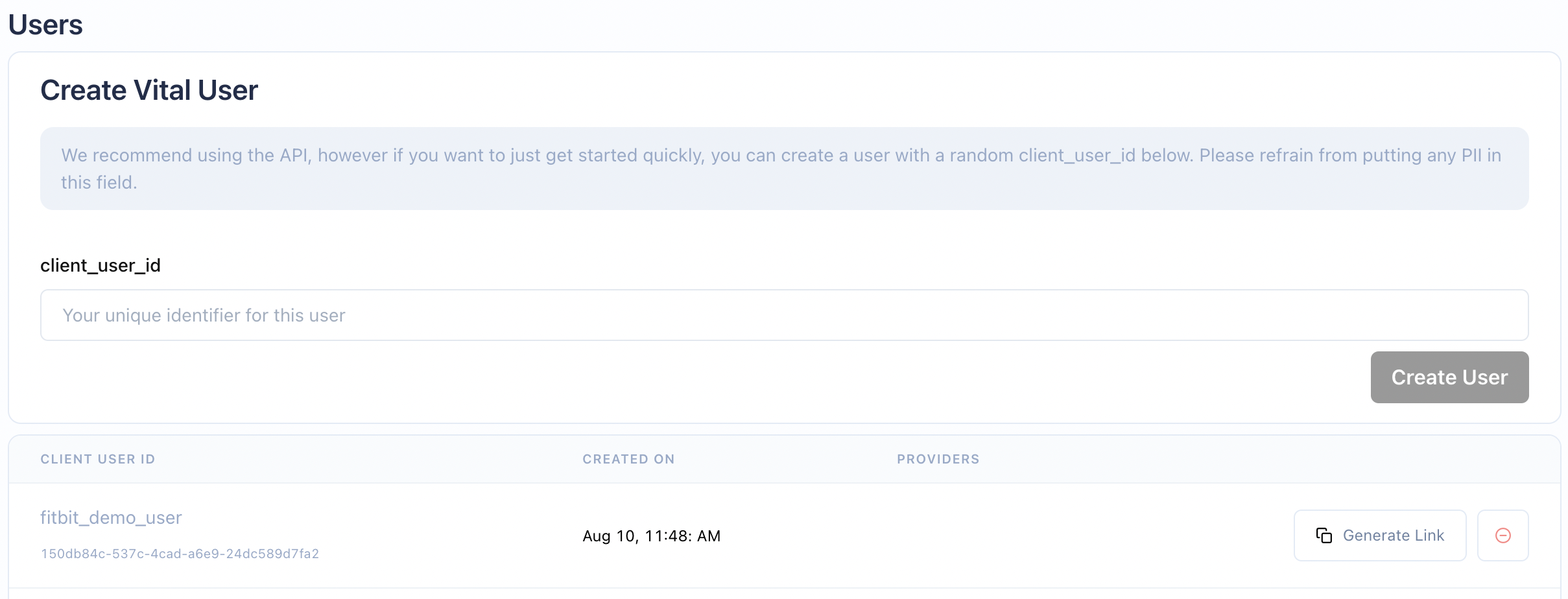 Now you can create a demo connection for the Junction user you just created, in this case `150db84c-537c-4cad-a6e9-24dc589d7fa2`. You can directly hit the [API endpoint](/api-reference/link/link-demo-provider) or use one of our client libraries, as shown below:
```bash Creating a demo connection theme={null}
curl --request POST \
--url {{BASE_URL}}/v2/link/connect/demo \
--header 'Accept: application/json' \
--header 'Content-Type: application/json' \
--header 'x-vital-api-key: ' \
--data '{"user_id": "", "provider": ""}'
```
```typescript TypeScript theme={null}
import { JunctionClient, JunctionEnvironment } from "@junction-api/sdk";
const client = new JunctionClient({
apiKey: "YOUR_API_KEY",
environment: JunctionEnvironment.Sandbox,
});
const data = await client.link.connectDemoProvider({
userId: "",
provider: "fitbit",
});
```
```python Python theme={null}
from junction import DemoProviders, Junction
from junction.environment import JunctionEnvironment
client = Junction(
api_key="YOUR_API_KEY",
environment=JunctionEnvironment.SANDBOX,
)
data = client.link.connect_demo_provider(
user_id="",
provider=DemoProviders.FITBIT,
)
```
```java Java theme={null}
import com.junction.api.Junction;
import com.junction.api.core.Environment;
import com.junction.api.resources.link.requests.DemoConnectionCreationPayload;
import com.junction.api.types.DemoProviders;
Junction client = Junction.builder()
.apiKey("YOUR_API_KEY")
.environment(Environment.SANDBOX)
.build();
var data = client.link().connectDemoProvider(
DemoConnectionCreationPayload.builder()
.userId("")
.provider(DemoProviders.FITBIT)
.build()
);
```
```go Go theme={null}
import (
"context"
junction "github.com/junction-api/junction-go"
"github.com/junction-api/junction-go/client"
"github.com/junction-api/junction-go/option"
)
c := client.NewClient(
option.WithApiKey("YOUR_API_KEY"),
option.WithBaseURL(junction.Environments.Sandbox),
)
response, err := c.Link.ConnectDemoProvider(context.TODO(), &junction.DemoConnectionCreationPayload{
UserId: "",
Provider: junction.DemoProvidersFitbit,
})
if err != nil {
return err
}
fmt.Printf("Received data %s\n", response)
```
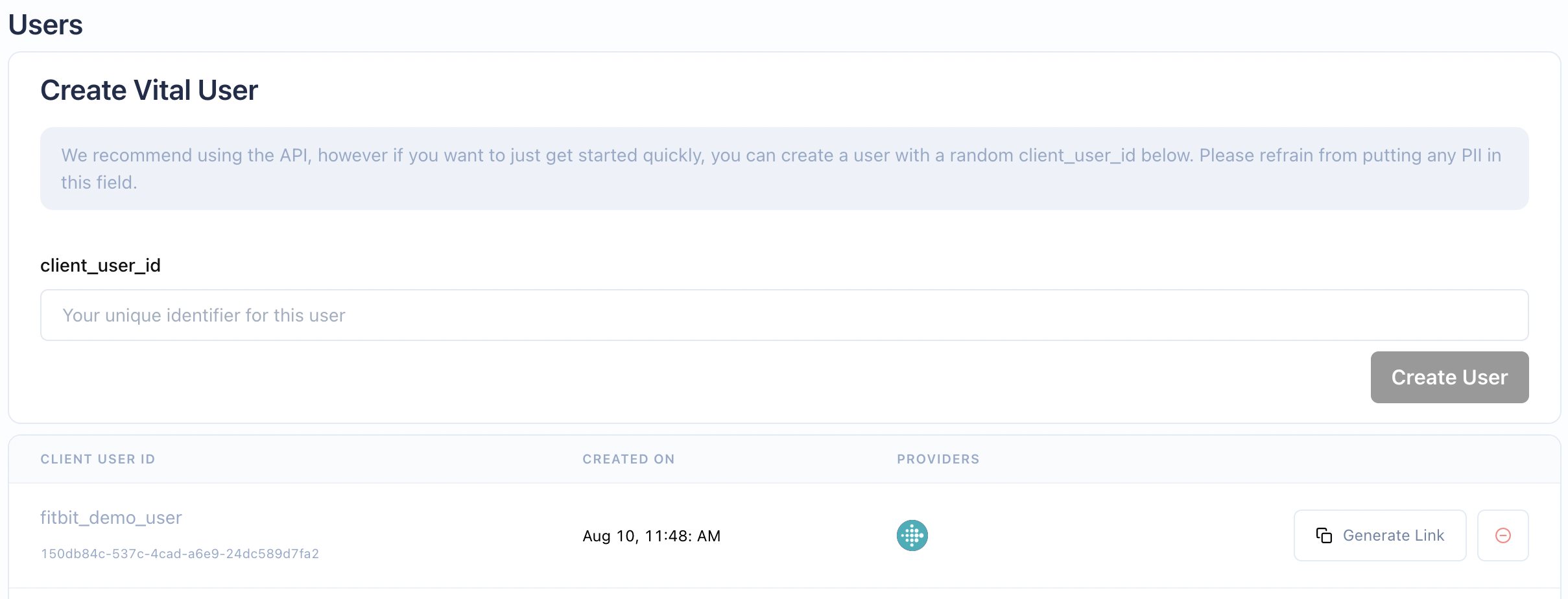
After the demo connection is created, a Fitbit logo will appear beside your user.
Now you can create a demo connection for the Junction user you just created, in this case `150db84c-537c-4cad-a6e9-24dc589d7fa2`. You can directly hit the [API endpoint](/api-reference/link/link-demo-provider) or use one of our client libraries, as shown below:
```bash Creating a demo connection theme={null}
curl --request POST \
--url {{BASE_URL}}/v2/link/connect/demo \
--header 'Accept: application/json' \
--header 'Content-Type: application/json' \
--header 'x-vital-api-key: ' \
--data '{"user_id": "", "provider": ""}'
```
```typescript TypeScript theme={null}
import { JunctionClient, JunctionEnvironment } from "@junction-api/sdk";
const client = new JunctionClient({
apiKey: "YOUR_API_KEY",
environment: JunctionEnvironment.Sandbox,
});
const data = await client.link.connectDemoProvider({
userId: "",
provider: "fitbit",
});
```
```python Python theme={null}
from junction import DemoProviders, Junction
from junction.environment import JunctionEnvironment
client = Junction(
api_key="YOUR_API_KEY",
environment=JunctionEnvironment.SANDBOX,
)
data = client.link.connect_demo_provider(
user_id="",
provider=DemoProviders.FITBIT,
)
```
```java Java theme={null}
import com.junction.api.Junction;
import com.junction.api.core.Environment;
import com.junction.api.resources.link.requests.DemoConnectionCreationPayload;
import com.junction.api.types.DemoProviders;
Junction client = Junction.builder()
.apiKey("YOUR_API_KEY")
.environment(Environment.SANDBOX)
.build();
var data = client.link().connectDemoProvider(
DemoConnectionCreationPayload.builder()
.userId("")
.provider(DemoProviders.FITBIT)
.build()
);
```
```go Go theme={null}
import (
"context"
junction "github.com/junction-api/junction-go"
"github.com/junction-api/junction-go/client"
"github.com/junction-api/junction-go/option"
)
c := client.NewClient(
option.WithApiKey("YOUR_API_KEY"),
option.WithBaseURL(junction.Environments.Sandbox),
)
response, err := c.Link.ConnectDemoProvider(context.TODO(), &junction.DemoConnectionCreationPayload{
UserId: "",
Provider: junction.DemoProvidersFitbit,
})
if err != nil {
return err
}
fmt.Printf("Received data %s\n", response)
```
After the demo connection is created, a Fitbit logo will appear beside your user.
 From here, everything works exactly the same as if you connected a real device. This means you will receive the following webhook updates:
* [Connection created](/webhooks/introduction#connection-created-stage), as soon as the connection is created.
* [Historical webhooks](/webhooks/introduction#historical-data-backfill-stage). We simulate historical data for the demo device and send the corresponding webhook updates, as in the real-world scenario.
* [Daily webhooks](/webhooks/introduction#incremental-data-stage). We also simulate updates to the device data every couple of hours so you can test receiving the data when a user recorded a workout or other activity.
* [Refresh user data](/api-reference/user/refresh-user-data). You can also instantaneously refresh a user's data through this endpoint.
## Backfill Data
For demo connections, there will be 30 days of historical data backfilled. This is in contrast with data backfill for non-demo providers,
where the number of days of data backfilled varies according to the provider. You can find out more [here](/wearables/providers/historical-data-pull-range).
## Data Format
When connecting to the live Junction client, there are three data response structures available:
Raw, Stream and Summary.
When connecting to the demo Junction client, data is only available in the Summary structure.
Summary restructures provider data fields to have a consistent response structure across all providers.
This is the easiest way to use provider data across an application which connects to multiple providers.
From here, everything works exactly the same as if you connected a real device. This means you will receive the following webhook updates:
* [Connection created](/webhooks/introduction#connection-created-stage), as soon as the connection is created.
* [Historical webhooks](/webhooks/introduction#historical-data-backfill-stage). We simulate historical data for the demo device and send the corresponding webhook updates, as in the real-world scenario.
* [Daily webhooks](/webhooks/introduction#incremental-data-stage). We also simulate updates to the device data every couple of hours so you can test receiving the data when a user recorded a workout or other activity.
* [Refresh user data](/api-reference/user/refresh-user-data). You can also instantaneously refresh a user's data through this endpoint.
## Backfill Data
For demo connections, there will be 30 days of historical data backfilled. This is in contrast with data backfill for non-demo providers,
where the number of days of data backfilled varies according to the provider. You can find out more [here](/wearables/providers/historical-data-pull-range).
## Data Format
When connecting to the live Junction client, there are three data response structures available:
Raw, Stream and Summary.
When connecting to the demo Junction client, data is only available in the Summary structure.
Summary restructures provider data fields to have a consistent response structure across all providers.
This is the easiest way to use provider data across an application which connects to multiple providers.